Choosing Employee Monitoring Software: 7 Things Businesses Should Check
Choosing employee monitoring software requires more than comparing feature lists and prices. This guide explains the key monitoring, screenshot, licensing, compatibility and privacy factors businesses should consider before choosing a solution such as SentryPC.

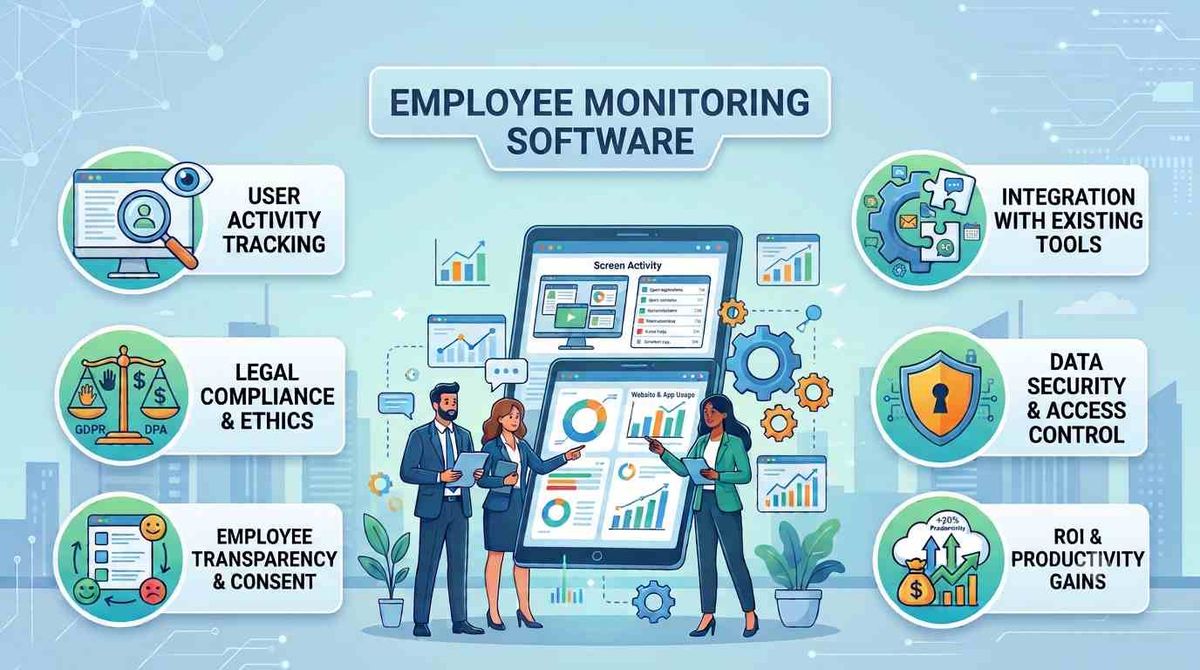
Employee monitoring software isn't something a business should choose simply because it has the longest feature list.
The better question is:
What does your business actually need to monitor, and which controls will justify paying for the software?
A company evaluating monitoring software may need website and application visibility, activity records, screenshots, usage schedules, remote administration, or the ability to manage many devices. The right choice depends on the size of the organization, the devices being monitored and the level of visibility required.
Here are seven things to check before buying.
1. Decide what you actually need to monitor
Start with the problem you're trying to solve.
Do you need to understand which websites employees access? Track application usage? Review computer activity? Capture screenshots? Or simply manage access to particular websites and applications?
These are different requirements.
A product that only blocks websites may be sufficient for one organization, while another may need a much broader activity-monitoring solution.
Before comparing prices, make a list of the specific activities you need to monitor.
2. Look beyond website blocking
Website filtering can be useful, but employee monitoring can involve much more than websites.
Depending on the software and operating system, businesses may want visibility into:
- Websites visited
- Applications used
- Keystrokes
- Screenshots
- Files and other activity
- Usage times
SentryPC is designed for broader computer activity monitoring and includes tools for website and application restrictions as well as activity recording.
That makes it worth considering for businesses that need more than a basic web-filtering solution.
3. Check whether screenshots are included
Screenshots can be an important consideration when evaluating monitoring software.
But don't simply ask whether a product supports screenshots. Check how screenshots are stored and how much storage is included with the plan.
This can affect the value of different licensing options.
SentryPC includes screenshot functionality, and its plans include different amounts of screenshot storage. Therefore, businesses comparing SentryPC plans should consider both the number of devices and their expected screenshot-storage requirements.
4. Consider remote management
Managing computers individually can become inconvenient as the number of monitored devices increases.
Cloud-based management can make it easier to view activity and change settings from a central account.
SentryPC provides cloud-based access for viewing activity information and managing settings remotely.
For a business with multiple monitored computers, this is an important feature to evaluate before purchasing.
5. Check the number of licenses you need
Pricing becomes more complicated when you're monitoring multiple employees.
Don't compare software based only on the advertised starting price.
Instead, calculate:
Number of devices × required license cost = actual monitoring cost
SentryPC offers plans ranging from a single-device Basic plan to business plans covering larger deployments, including options for 50, 100, 250, 500 and 1,000 licenses.
That makes the number of devices one of the most important factors when determining which SentryPC plan makes sense for your organization.
6. Check operating-system compatibility
This is one of the easiest things to overlook when buying monitoring software.
A product may support Windows, Mac, Android and Chromebook/Chrome, but that doesn't necessarily mean every feature works identically on every platform.
SentryPC supports multiple operating systems, but feature availability varies depending on the platform.
Before purchasing, identify the devices your employees actually use and confirm that the monitoring and control features you require are supported on those devices.
7. Don't ignore privacy and workplace requirements
Employee monitoring involves more than technology.
Before deploying monitoring software, businesses should consider applicable employment, privacy and data-protection requirements in the jurisdictions where they operate. Employees should also be informed about monitoring where required.
The software may provide the technical capability, but your organization's policies and legal obligations determine how that capability should be used.
This is particularly important for businesses operating across different countries.
Is SentryPC worth considering for businesses?
If your organization needs a combination of computer activity monitoring, website and application controls, screenshots, scheduling and remote cloud management, SentryPC is worth evaluating.
Its business plans are designed for organizations managing multiple devices, while the smaller Basic plan provides an option for monitoring a single device.
The important thing is to match the plan to your actual requirements rather than choosing purely on the number displayed on the pricing page.
We have not independently tested SentryPC, so this is not a hands-on review. Businesses should verify current features, operating-system compatibility, pricing and applicable workplace requirements before deployment.
Ready to compare SentryPC?
If the features and licensing model match what your organization needs, you can check the current SentryPC plans and pricing before making a purchase.
Affiliate disclosure: This article contains an affiliate link. If you purchase SentryPC through the link, we may earn a commission at no additional cost to you.